The Best Edit Is the One Nobody Notices: How Invisible Enhancements Are Winning 2024
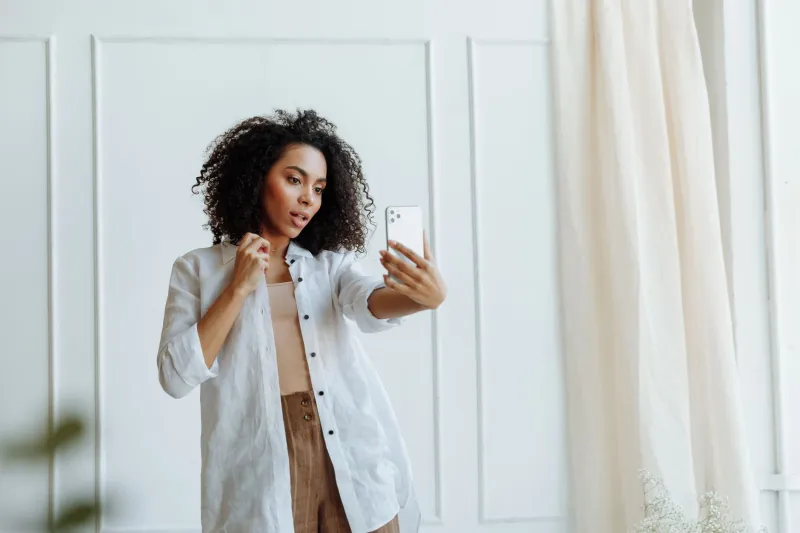
There's a weird moment that happens when you over-edit a photo. You've bumped the skin smoothing, dialed up the eye brightening, maybe shaved your jawline a millimeter or two — and suddenly the person staring back at you from the screen looks almost like you. Almost. It's that uncanny valley feeling, the digital equivalent of a wax museum portrait. Technically impressive, vaguely unsettling.
Now flip the script. The best photo editing experiences in 2024 are built around a completely different goal: making you forget the app is doing anything at all.
The 'Invisible Edit' Philosophy
Designers in the photo app space have a term floating around their Slack channels and design docs right now — the "invisible edit." The idea is simple in concept, brutally hard to execute: an enhancement should feel like the best possible version of a moment that actually happened, not a manufactured image of someone who doesn't quite exist.
Marcus Lyle, a UX designer who has worked on mobile camera interfaces for several years, describes it this way: "The goal isn't to remove flaws. It's to remove distractions. A little uneven lighting, a shadow that fell wrong, a bit of redness from a long day — those things pull a viewer's eye away from what the photo is actually about. Strip those out quietly, and suddenly the person in the frame just looks present."
That framing matters. It repositions editing not as transformation but as clarification — the digital equivalent of good lighting rather than a costume change.
Why Subtle Feels More Satisfying
Here's the counterintuitive part: users consistently report more satisfaction from subtle enhancements than from dramatic ones, even when they initially reach for the dramatic sliders.
Research in UX design has long pointed to something called the "peak-end rule" — we judge an experience based on its most intense moment and how it ends, not the average. In photo editing, the "peak" of a dramatic transformation feels exciting for about thirty seconds. Then comes the end: you share the photo, someone who knows you sees it, and there's a microsecond of disconnect. That disconnect is the satisfaction killer.
Subtle enhancements don't have that problem. The peak is quieter, but the end — sharing, receiving a compliment, looking back at the photo six months later — holds up. "It still looks like me" is a more durable form of satisfaction than "wow, I looked incredible for one Instagram post."
Photographer and content creator Dana Reeves, based out of Austin, put it bluntly: "I used to go heavy on the retouching. Then I'd look at my photos from two years ago and barely recognize myself. Now I use apps that just... clean things up. The photos age better. I age better in them."
What the Apps Getting It Right Are Actually Doing
So what does "invisible editing" look like under the hood? A few things are happening technically that make it work.
Localized adjustments over global filters. Older-generation apps tended to throw a single filter over an entire image — same treatment for skin, background, clothing, everything. Newer tools with strong invisible-edit philosophies apply micro-adjustments to specific regions. Skin gets slightly different treatment than fabric. Eyes get different treatment than the background wall. The result feels cohesive rather than processed.
Reference-based enhancement. Some of the more sophisticated apps now use what designers call "reference matching" — essentially asking the AI to enhance the photo toward what the scene should have looked like under ideal conditions, rather than toward an abstract beauty standard. The question stops being "how do I make this person more conventionally attractive" and becomes "what would this person look like if the lighting had been perfect?"
Restraint baked into defaults. This one sounds obvious but is harder than it seems. Apps that default to heavy enhancement train users to expect heavy enhancement, and then crank it higher chasing the dopamine hit. Apps that default to subtle adjustments create a different baseline expectation. Users of these apps tend to report that their editing sessions feel calmer, less compulsive. The design is doing psychological work.
The UX of Forgetting
There's a design principle borrowed from industrial design called "calm technology" — the idea that the best tools recede into the background and let you focus on the task, not the tool itself. Think of a really good chair: you stop thinking about the chair and start thinking about the conversation you're having in it.
Photo editing apps are increasingly chasing that same quality. The interface decisions that support it are subtle: fewer sliders visible at once, AI doing heavy lifting behind a single "enhance" button, before/after comparisons that are easy to skip rather than constantly foregrounded.
"We actually spent a lot of time figuring out how to make the 'before' less visible," one product designer told me, speaking about a feature rollout at a major editing app. "When users constantly toggle between before and after, they start chasing the difference instead of chasing the good photo. Hide the before a little, and suddenly they evaluate the image on its own terms."
That's a small interface decision with a surprisingly large psychological impact.
The Cultural Shift Driving All of This
None of this is happening in a vacuum. There's been a real, documented shift in what US social media users say they want from their images — particularly among the 25-40 demographic that makes up a huge chunk of photo app users. "Authentic" has become the most overused word in digital culture, sure, but underneath the buzzword is a genuine fatigue with the heavily processed aesthetic that dominated Instagram's peak years.
The apps winning in 2024 are reading that shift correctly. They're not abandoning enhancement — people still want to look good, full stop. But they're repositioning what "looking good" means: not a departure from reality, but the best possible version of it.
Dana Reeves again: "I want people to look at my photos and think she had a great day. Not she has a great app."
That's the invisible edit. And honestly? It's a harder thing to build than any dramatic transformation slider. The apps that are figuring it out are worth paying attention to — even if, by design, you barely notice they're there.